

If you forgot your Nextcloud password, you can reset it yourself.
1. Request a reset
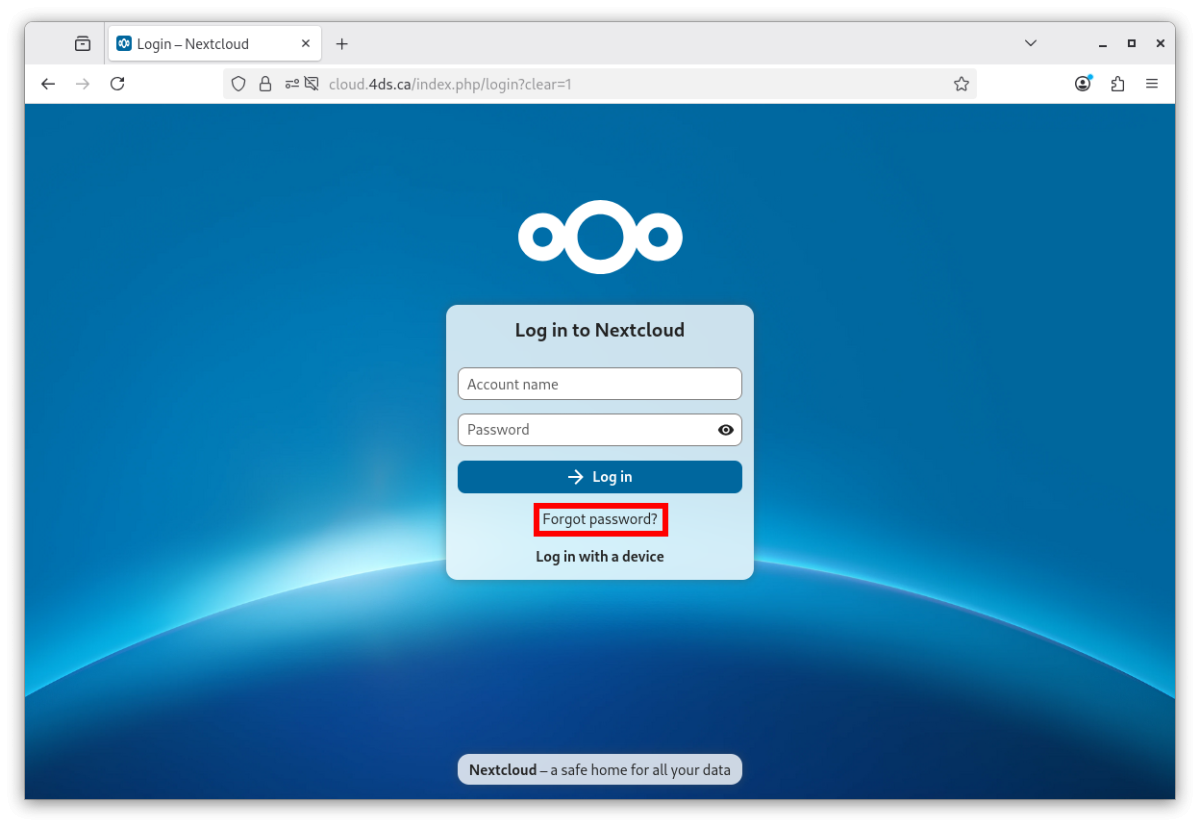
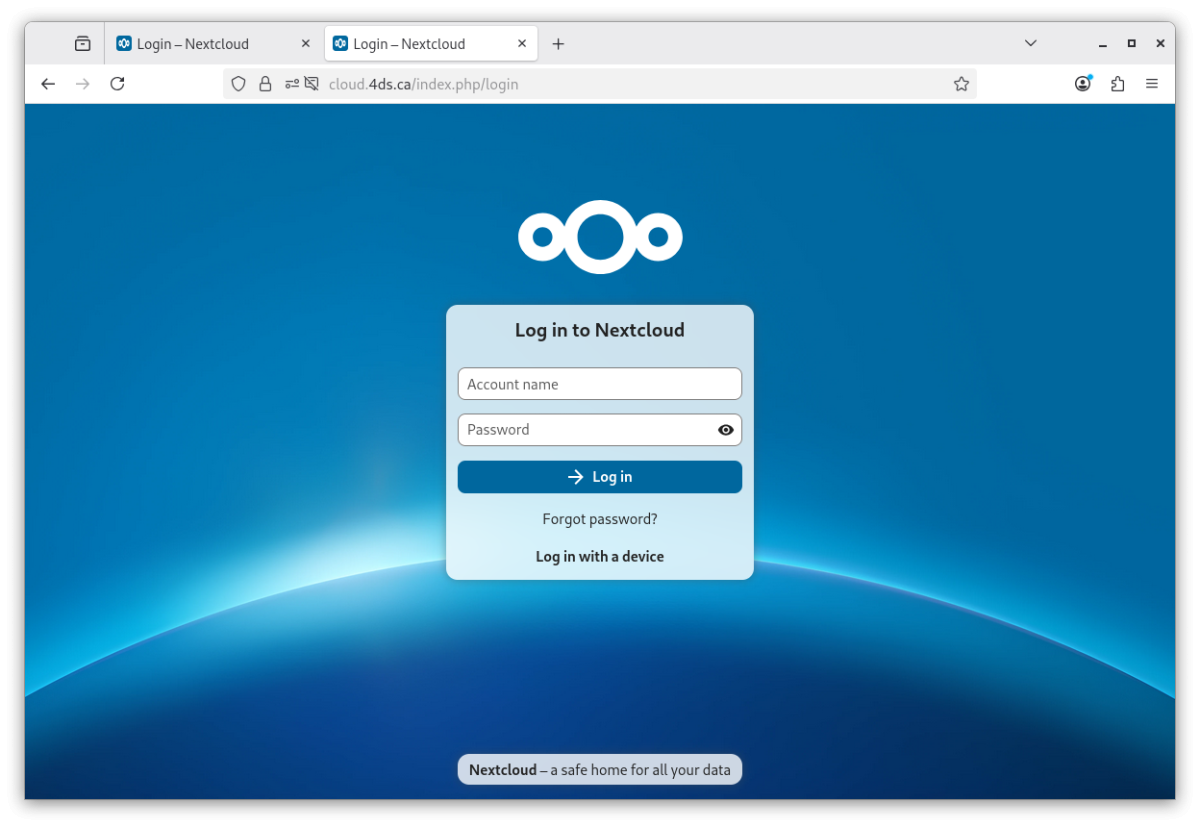
Go to https://cloud.4ds.ca and click Forgot password?.
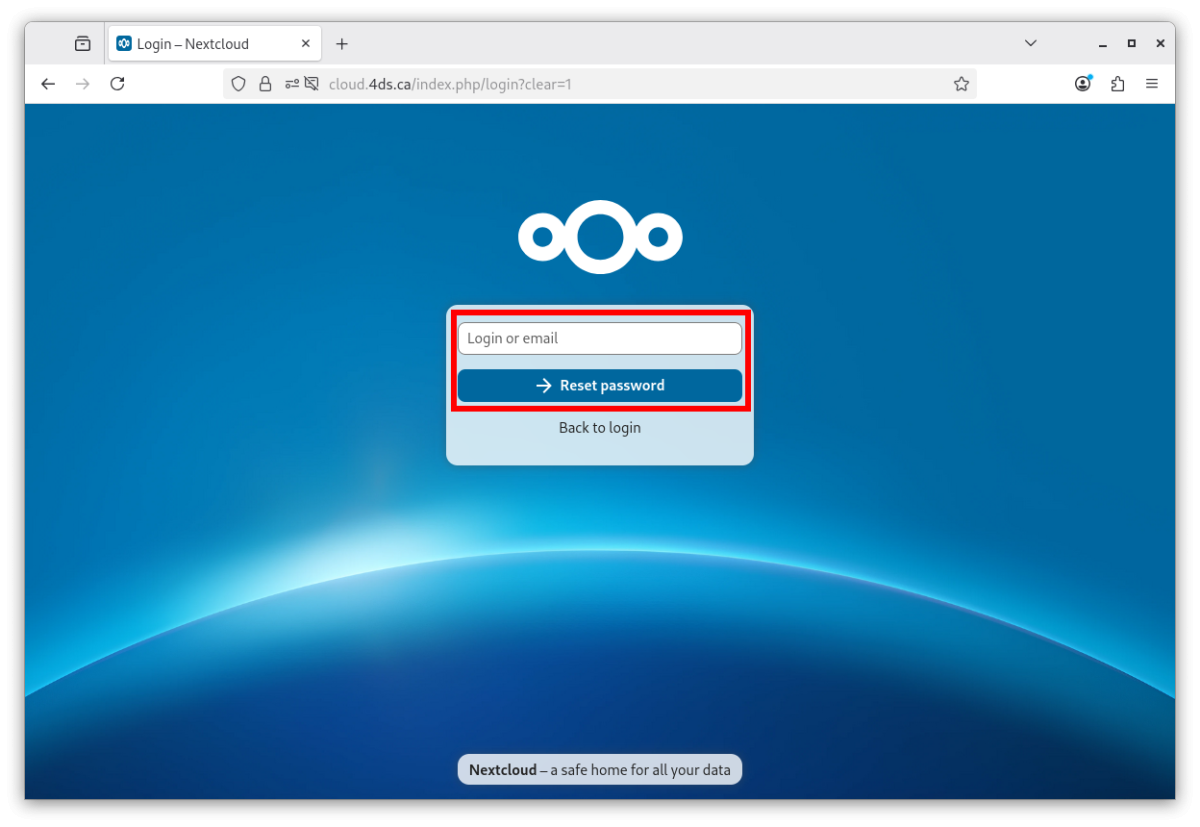
Enter the email address linked to your account, or your account name, then click Reset password.
2. Open the email you receive
You will receive an email like this one. Click the Reset your password button.
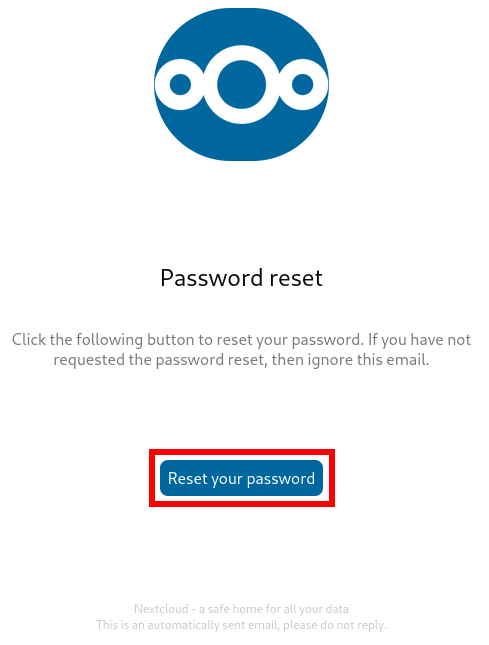
Warning. Always check that the link leads to the cloud.4ds.ca domain, at an address starting with
https://cloud.4ds.ca/index.php/lostpassword/.If you receive this email without asking for it, or if the link does not lead to cloud.4ds.ca, it may be an attempt to steal your access. Report it as soon as possible through our contact form, with as many details as you can.
3. Choose a new password
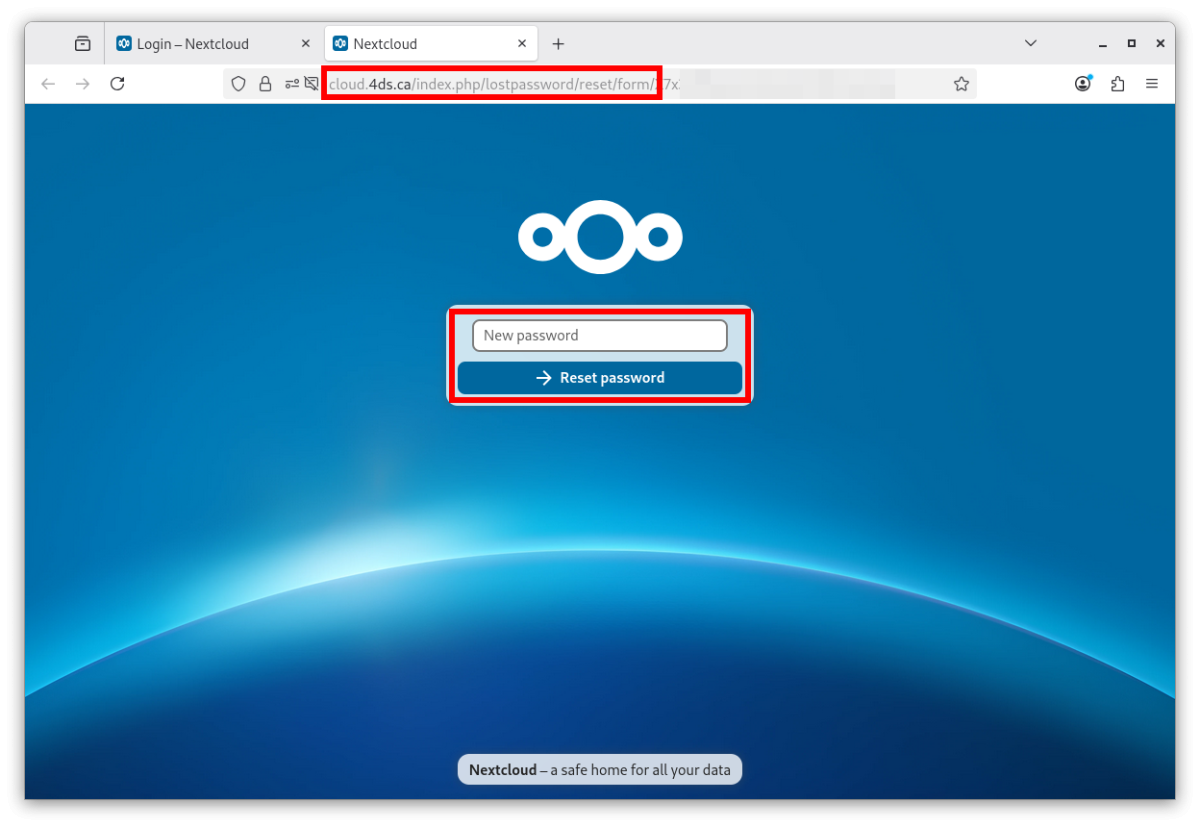
The page that opens lets you enter your new password. Check the cloud.4ds.ca address once more, enter the password, then click Reset password.
4. Sign in again
You are taken back to the sign-in page: sign in with your account name and your new password.
If you were signed in on other devices or apps, enter the new password there too.
Account locked?
After several failed attempts, your account may be temporarily locked. Contact us at 1-866-812-3455, option 2, or through our contact form.